
One Note: A Simple, FREE Digital Planner We LOVE for History
When we first started Story of the World, these planning pages from Barefoot Meandering were perfect for us. We didn’t watch many videos at all & nearly all the books were physical books.
But as i started to use ebooks, add in videos, etc, they were less convenient. It just didn’t work for me to write the details down AND still have to locate them online.
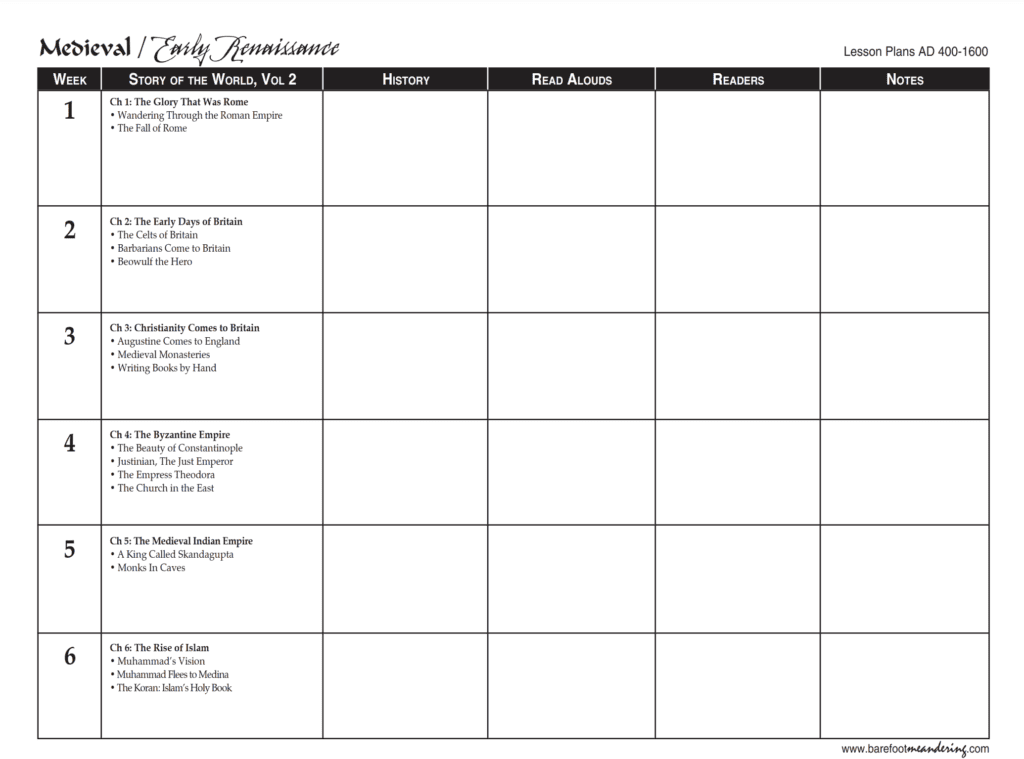
I tried Word & Excel, but I had to remember to transfer the updated document to whatever device I’d be schooling from. (That was before I discovered the convenience of Google Docs & Sheets.) And I really wanted something I could also access from my phone, so I could access our booklist while I was at the library.
Enter OneNote
I was reading on the Well-Trained Mind forums and found a program that would solve my problems– Microsoft’s One Note.
- Able to link digital items? ✓
- Free? ✓
- Easy to list future ideas? ✓
- Syncs across platforms & with other people? ✓
- Easy to move my plans around? ✓
- App for my phone or tablet? ✓
Also helpful?
- I can add .pdfs of quizzes, worksheets, articles, etc..
- Find an audio file? Drop it in!
- Create an audio file of yourself giving your kiddo instructions.
- From a tablet, you can use a stylus to handwrite in it.
- Embed YouTube videos so your kiddo doesn’t need to leave OneNote (or get distracted on YouTube)
Interested in what else One Note can do? Check here, here and here.
Setting One Note Up
Along the top, I create separate sections that I can use to plug in ideas I gather. When I’m ready to plan a new chapter, I can refer to these sections for inspiration.
Then I created new pages with each one titled as the name of the chapter. The indented pages were part of a month-long break we took to study more in-depth.
Once I have my pages set up, I go into the first chapter and use “Insert–>Table” to create a daily plan which I copy into the following chapters. After that, I can go into each chapter, plug in the curriculum spine details and fill in the rest, as needed.
The chapter above is a little on the ambitious side for us. We really enjoy history, though, so most of it will be finished. As I mentioned in my video, I aim for a couple of supplemental books and a couple of videos, plus an image or two per chapter. Those items may relate directly to the chapter, but more often, they relate to the time period.
A few more notes
- I try to link as many things as I can–links to videos on Netflix/Amazon, links to the books on Overdrive, etc. I find that I stay on top of things more if I do.
- Labeling where I can find the books is KEY for me. Otherwise, I forget to get them from the library, spend too much time trying to find them on the bookshelf when it’s really on my Kindle, etc.
- Ditto for movies! If we are going to watch it on the laptop or iPad, I will link directly to it from OneNote. If it is on a DVD or we will watch it on the TV, I note that. If it’s an episode in a series on TV, I always note the season & episode–one too many times, I’ve wasted time going season by season looking!
- If it is something on YouTube, I like to add how long it is. In case we are running behind or have extra time, this allows me to quickly scan other days and adjust.
When you buy through links on my site, I may earn an affiliate commission. My goal is to keep this site 100% reader-supported and free of ads or sponsorships. Your purchases help me make this possible. Thank you! Read more here.
I like how you plan out your year with Story of the World. I’m interested in doing a better job at this next year with volume 4. Can you share your resources for this volume and your schedule if possible? I’m sure a lot of work goes into it! Thanks!
I am curious if you can share One Note with others? I don’t know anything about this yet.
I roughly used this (below) this year but couldn’t find the time to get to more than 2 read alouds. I also didn’t have most of the other readers. I’m looking for more videos. Over all I need a better plan. http://elementalblogging.com/wp-content/uploads/2013/04/Story-of-the-World-Volume-3-Lesson-Plans.pdf